Branded Workwear
What File Type for Logo Printing?
May
You usually find out the answer to what file type for logo printing you need at the worst possible moment – when the garments are chosen, the order is urgent, and the logo sent over is a blurry screenshot pulled from a website. At that point, print quality becomes a production issue, not a design issue. If you want branded workwear, event clothing or staff uniform to look consistent, the file format matters from the start.
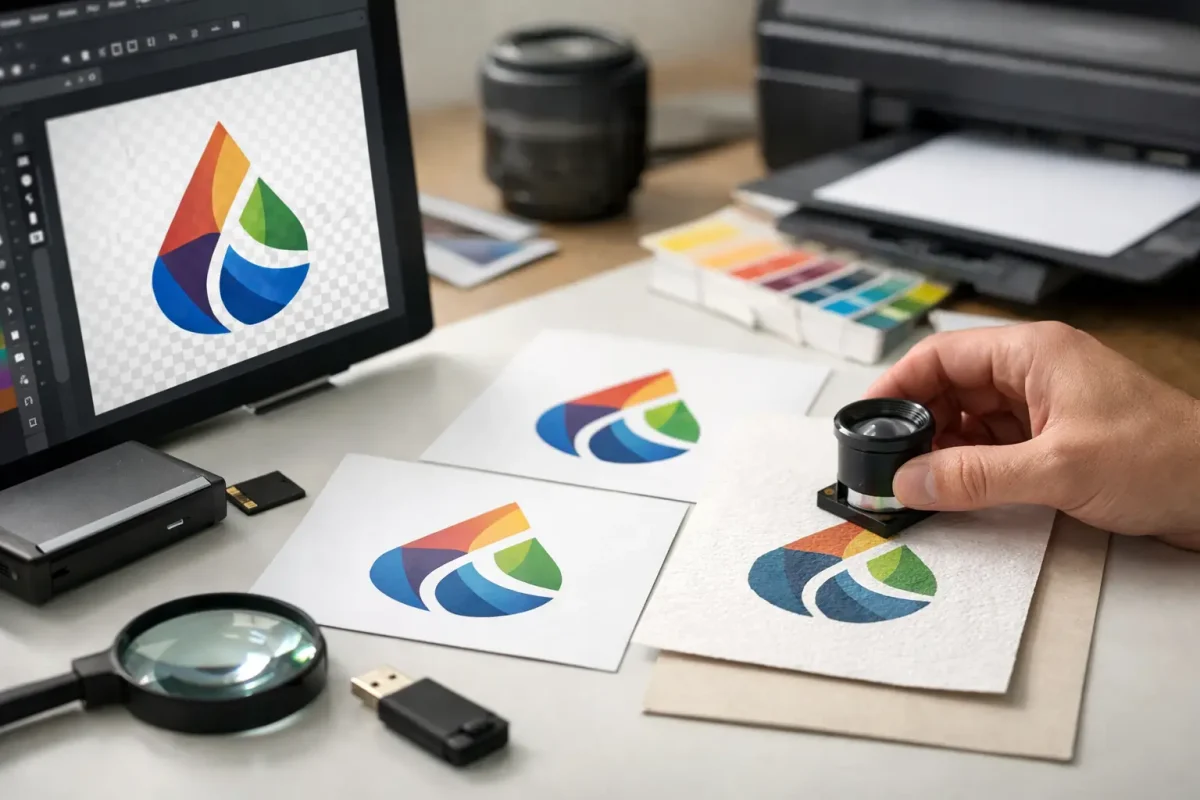
For most logo printing jobs, the best file type is a vector file. That normally means AI, EPS or PDF saved from the original artwork. Vector files scale cleanly, keep edges sharp and give printers far more control over colour separation and output. If you only have a PNG, that can sometimes work for simpler print jobs, but JPEGs are usually the least reliable option.
What file type for logo printing is best?
If you need the short answer, use a vector file wherever possible. That is the standard for professional logo reproduction because vectors are built from shapes and paths rather than pixels. Whether the logo is printed small on a left chest or larger across the back of a hoodie, it stays crisp.
This matters on workwear because decoration sizes vary. A healthcare tunic may need a small department logo. A hi-vis vest may need larger branding that reads clearly on site. An event T-shirt may need front and back prints in different sizes. A vector file handles all of that without losing quality.
The most useful file types for logo printing are AI, EPS and print-ready PDF. SVG can also be a vector format, but it is used more often for web graphics and is not always the preferred production file for garment printers. If you are sending artwork to a supplier, a PDF exported correctly from the original design file is often the easiest option, as long as the vector data is still intact.
Why vector files are preferred
A logo used on uniforms is not just an image. It is part of how your team presents itself on site, in front of clients, in schools, in care settings or at events. If the edges are fuzzy or the colours shift, it makes the finished garment look cheaper than it should.
Vector artwork gives a printer cleaner lines, more accurate scaling and better separation between colours. That is especially important for text, fine detail and geometric marks. If your logo includes a strapline, small lettering or outlines around shapes, a vector version gives you a much better chance of reproducing it properly.
There is also less guesswork. When a logo comes through as a low-resolution image, someone has to decide whether it can be used as-is, cleaned up or redrawn. That slows approval and can add cost. A proper vector file avoids that bottleneck.
When PNG files are acceptable
PNG files can be suitable for some print jobs, but only if they are high resolution and exported with a transparent background. They are often the best raster option when a vector file is not available.
A transparent background is useful because it stops the logo arriving as a white box sitting around the design. That may be workable on a white garment, but on navy polos, black fleeces or coloured hoodies it becomes a problem very quickly.
Even then, PNG is still a compromise compared with vector. It can work well for direct-to-film or digital garment printing when the source file is large enough and the artwork is fairly straightforward. It is less dependable if the logo needs resizing significantly or if the original export quality is poor.
As a rule, a high-resolution PNG is often usable. A small PNG copied from a website usually is not.
Why JPEG is usually the wrong choice
JPEG files are common because they are easy to save and send, but they are not ideal for logo printing. They use compression, which can soften edges and introduce artefacts around text and shapes. On screen that may seem minor. In print, particularly on uniforms viewed up close, it shows.
JPEGs also do not support transparent backgrounds. That means the file often includes a solid white rectangle behind the logo, which creates obvious problems on coloured garments. If your logo is being applied to a softshell, sweatshirt or polo in anything other than white, this can stop the file being usable straight away.
There are cases where a high-quality JPEG can be used for large graphic prints or photographic artwork, but for a business logo on workwear it is usually not the first choice.
File type and decoration method are connected
The right answer to what file type for logo printing also depends on how the logo is being applied. Not every garment is decorated the same way, and not every artwork file behaves the same across print methods.
For screen printing, vector files are strongly preferred because colours often need to be separated cleanly. Spot colours, solid blocks and sharp text all benefit from vector artwork. This is a common choice for larger runs of T-shirts, hoodies and promotional clothing where consistency matters.
For digital print methods, including transfer-based processes, a high-resolution PNG may sometimes be enough, especially for full-colour logos or artwork with gradients. But even here, a vector original is still useful because it gives production teams more options.
If the logo is going to be embroidered rather than printed, the file type question changes slightly. Embroidery machines do not run directly from your logo file. The artwork has to be digitised into a stitch file. A vector file still helps because it gives a cleaner base for digitising, but it is not the final production format. This is one reason businesses often benefit from keeping a proper master logo pack rather than relying on whatever image file happens to be available.
Resolution still matters
People often ask for a file type when the real issue is quality. A PNG can fail because it is too small. A PDF can fail because the logo inside it is only a low-resolution image placed on a page. The extension alone does not guarantee the artwork is suitable.
If you are sending a raster file, it needs to be high resolution at the size it will be printed. If the logo will be enlarged, quality drops quickly. Fine text becomes unreadable, curved edges look jagged and small design details disappear.
That is why suppliers often ask for the original artwork rather than a file copied from email signatures, websites or social media profiles. Those versions are built for screens, not garments.
Colour setup can affect the result
For printed uniforms and workwear, colour accuracy matters more than many buyers expect. Brand colours need to be consistent across polos, jackets, hi-vis garments and accessories, especially when orders are placed in stages over time.
Vector files generally make this easier because colour values can be defined clearly. That does not remove every variable – garment fabric, print method and base colour all affect the final appearance – but it gives a stronger starting point.
If your logo uses specific brand colours, it helps to provide the colour references used in your artwork. That is particularly useful for larger orders, repeat programmes and mixed garment ranges where consistency matters across departments or sites.
What to send if you are not sure
If you do not know whether your file is suitable, send the best version you have, but send all versions together. The original design file, PDF, PNG, JPEG and any brand guidelines can all help. A production team can quickly identify the strongest source file and flag any issues before the order moves too far.
That approach is often faster than trying to guess the right file internally. For many organisations, logo files have been passed between office staff, marketing teams, schools or site managers for years. The original artwork may exist, but no one has the latest version to hand.
A good supplier will tell you plainly whether the file is fit for print, whether it needs redrawing, or whether a different decoration method would produce a better result on the chosen garment. That kind of practical advice matters more than file jargon.
The practical answer for most businesses
If you are ordering branded clothing, keep one clean vector version of your logo as the master file. Store AI, EPS or vector PDF versions centrally, alongside a high-resolution PNG with a transparent background for general use. That gives you the best chance of getting consistent results across printed workwear, embroidered uniforms, promotional merchandise and signage.
For day-to-day ordering, that single step removes a lot of delays. It means the logo on your warehouse polos can match the logo on your site jackets, exhibition clothing and event banners without repeated artwork problems. For businesses managing multiple branches, departments or starters, it also makes repeat purchasing simpler.
If you are still asking what file type for logo printing is right, the safest answer is this: send a vector file first, a high-resolution PNG second, and treat JPEG as a last resort. Getting that detail right early saves time, avoids redraws and gives you a better finished garment when it matters on the job.